One-Click Star Reduction: Reveal the Hidden Milky Way
Introduction
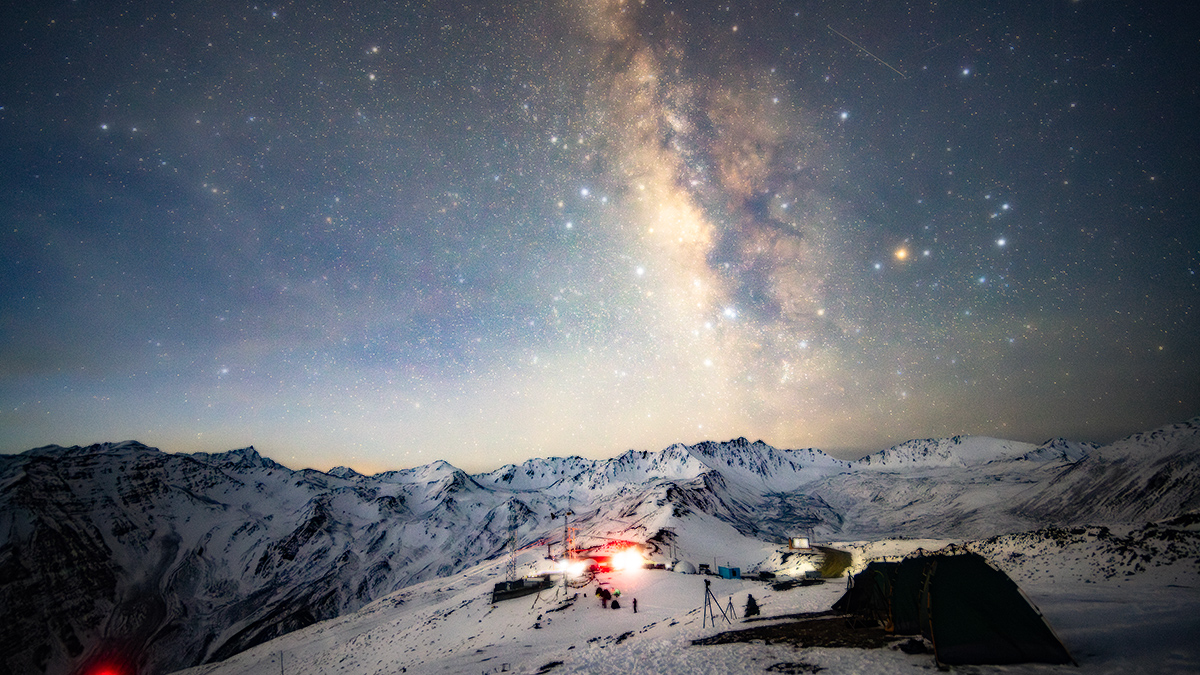
Dense star fields can be both a blessing and a curse in astrophotography. While we cherish capturing countless stars, sometimes they overwhelm the delicate structures of nebulae and galaxies we want to showcase.
Enter RawFlow's revolutionary Star Reduction feature – an intelligent, one-click solution that intelligently reduces star density while preserving the astrophotography essence of your images.
Understanding the Challenge
When photographing the Milky Way or deep sky objects, dense star fields present unique challenges:
- Nebula Obscuration: Thousands of stars can hide delicate nebula structures
- Image Overwhelm: Too many stars make the image look cluttered
- Post-Processing Difficulty: Isolating and processing specific objects becomes challenging
- Visual Impact: Dense stars can reduce the dramatic impact of your composition
RawFlow's Intelligent Solution
Our star reduction algorithm analyzes your image at the pixel level, understanding:
✅ Star Sizes: Identifying and classifying stars by their apparent size ✅ Brightness Levels: Understanding star intensity and importance ✅ Nebula Structures: Recognizing gas clouds and deep sky objects ✅ Color Gradients: Maintaining smooth transitions in nebula regions
Key Features
-
Smart Detection
- Automatically identifies individual stars
- Distinguishes between stars and nebula emissions
- Preserves important bright stars
- Maintains natural-looking star field
-
Adjustable Intensity
- From subtle reduction to dramatic transformation
- Real-time preview before applying
- Non-destructive editing at every step
- Gradual adjustment slider
-
Detail Preservation
- Protects nebula structures
- Maintains galaxy arms
- Keeps planetary details intact
- Preserves star colors
Step-by-Step Guide
Step 1: Import Your Astrophoto
Open your densely star-filled image in RawFlow. The app supports:
- RAW formats: CR3, ARW, NEF, DNG
- TIFF files with full bit depth
- JPEG for quick edits
Step 2: Access Star Reduction
Navigate to AI Tools → Star Reduction. You'll see:
- Preview Toggle: Before/after comparison
- Intensity Slider: Control reduction strength (0-100%)
- Size Threshold: Adjust star size detection
- Preservation Mode: Protect bright stars
Step 3: Adjust Settings
Use the controls to achieve your desired result:
Intensity Slider
- Light (10-30%): Subtle cleanup, minimal change
- Medium (30-60%): Balanced reduction, good for most images
- Heavy (60-100%): Dramatic reveal, maximum nebula visibility
Size Threshold
- Fine (1-2px): Removes tiny stars only
- Medium (2-4px): Standard star reduction
- Large (4px+): Aggressive reduction, keep only brightest
Preservation Mode
Toggle this on to protect stars above a certain brightness level, ensuring important guide stars remain visible.
Step 4: Fine-tune and Export
After applying star reduction:
- Zoom In: Check nebula regions for detail preservation
- Color Balance: Adjust if colors appear washed out
- Final Crop: Frame your composition perfectly
- Export: Choose 8K RAW, 16-bit TIFF, or social-ready formats
Practical Applications
Nebula Photography
Perfect for H-alpha rich regions like:
- North America Nebula: Reveal the "Gulf" structure
- Lagoon & Trifid: Show the connecting dust lanes
- Horsehead: Enhance the iconic silhouette
Galaxy Imaging
Bring out spiral arms in:
- Andromeda (M31): Show dust lanes clearly
- Whirlpool (M51): Highlight interaction structures
- Triangulum (M33): Reveal H-II regions
Milky Way Scenes
Create dramatic compositions:
- Sagittarius Region: Expose the Trifid and Lagoon
- Cygnus Loop: Show the veil structure
- Scutum Star Cloud: Reduce overwhelming star density
Advanced Techniques
Layered Approach
For maximum control:
- Apply light star reduction globally
- Use masks to apply heavier reduction to specific areas
- Brush-in additional reduction where needed
- Use healing tool for remaining bright stars
Combined with Denoise
Star reduction works beautifully with RawFlow's AI denoise:
- Apply AI denoise first (preserves nebula detail)
- Then apply star reduction (cleaner star field)
- Final adjustments to balance everything
- Export with full dynamic range
Batch Processing
When working with multiple images from the same session:
- Save your star reduction preset
- Apply consistently across all frames
- Maintain visual coherence in your final composition
- Process multiple images efficiently
Tips for Best Results
Before Shooting
✅ Use Light Pollution Filters: Reduces sky glow before capture ✅ Optimal Focus: Crisp stars process better ✅ Shorter Exposures: If star trailing isn't desired ✅ Multiple Frames: Stacking reduces noise naturally
During Processing
❌ Don't Over-reduce: Natural star fields look best ❌ Avoid Uniform Reduction: Different regions need different levels ❌ Watch for Artifacts: Check edges of bright stars ❌ Preserve Color: Stars should retain natural hues
Common Mistakes
- Applying too much reduction makes images look fake
- Ignoring the size threshold creates inconsistent results
- Overlooking preservation mode removes all stars
- Rushing the process leads to missed details
Before & After: Real Examples
Example 1: North America Nebula
Before: Overwhelming star density hides the "Gulf" structure After: Clear visibility of the Gulf, Pelican clearly separated Reduction: 45% intensity, medium threshold Processing Time: 8 seconds
Example 2: Milky Way Core
Before: Thousands of stars overwhelm the Sagittarius region After: Trifid and Lagoon nebulae beautifully revealed Reduction: 55% intensity, fine threshold Processing Time: 12 seconds
Example 3: Andromeda Galaxy
Before: Dense star field obscures dust lanes After: Clear spiral arms and dust lane structure Reduction: 40% intensity, large threshold Processing Time: 6 seconds
Conclusion
RawFlow's Star Reduction feature is a game-changer for astrophotographers. Whether you're revealing hidden nebulae, emphasizing galactic structures, or creating more visually impactful compositions, this intelligent tool gives you the power to transform your images with precision and artistry.
The next time you capture a densely star-filled region, remember: those stars might be hiding something beautiful. With RawFlow, you can reveal the hidden universe within your images.
Ready to discover what's hidden in your star fields? Download RawFlow and start revealing the cosmos today.
Have questions about star reduction techniques? Share your before/after images in our community forum – we'd love to see your astrophotography transformations!